DamonSX2 Pro - PS2 Emulator
- 0.00
- 0.0
- Asennukset
- 1.00M
- Hinta
- Free

Kuvakaappaukset
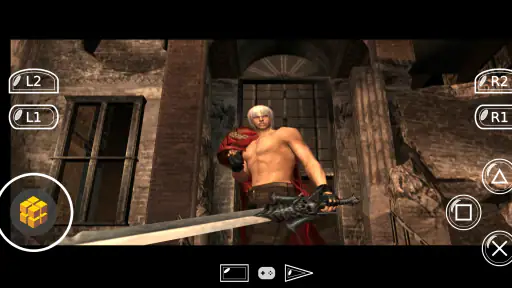
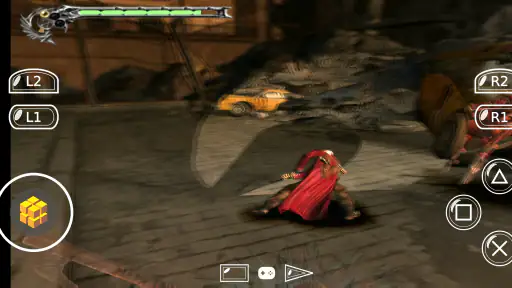
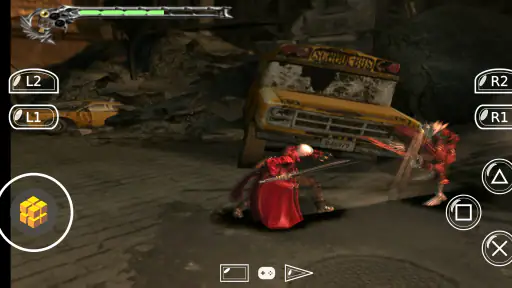
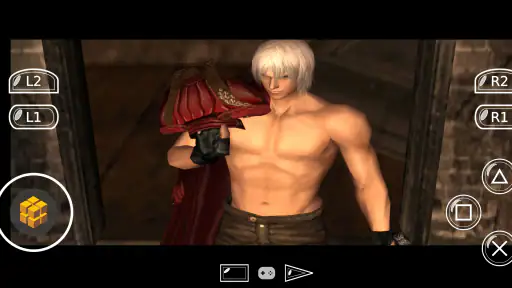
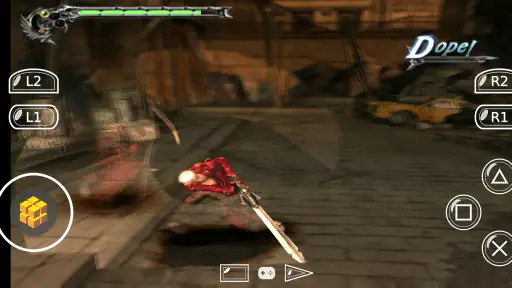
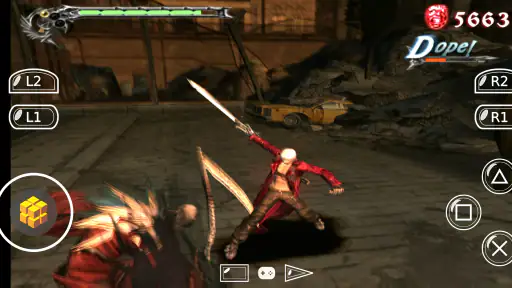
Analysoinut Reviewed
DamonSX2 Pro on Android is best understood as a specialist tool for people who want to explore PlayStation 2 emulation on a phone or tablet, not as a plug-and-play way to make every old favourite run perfectly. My view is that its appeal lies in the freedom to experiment and in its open-source roots; the trade-off is that emulation depends heavily on the device, the game and the user’s patience. If you already own compatible game files and enjoy adjusting software when results vary, it may be worth trying. If you expect console-like simplicity from the first tap, I would look for a less demanding option.
What the experience is really about
This is an Android emulator app from Reinferno Pvt. Limited, intended for running PlayStation 2 games on mobile hardware. The store summary describes DamonSX2 as an open-source LGPL emulator, while the short name shown for the app is DamonSX2 Pro. That open-source framing matters to people who care about how software is licensed, but it does not by itself promise that every game will work well or that setup will be effortless.
The practical question is not simply whether a phone can launch an emulator. It is whether the particular game you want to play is compatible with the app and whether your device can handle it at a comfortable speed. Console emulation asks a phone to reproduce the behaviour of older hardware in software. Results can differ substantially between devices, even when both can install the app, so I would treat compatibility as something to test rather than assume.
The app is free, has more than a million installs and carries a PEGI 3 age rating. It was released on 10 July 2022, and its current version is 420. Those details give a sense of its place in the Android app landscape, but they do not tell you how a specific title will perform on your handset. I would make that title-specific test the centre of any decision to use it.
Why emulation can be rewarding
The strongest case for an emulator is convenience: it brings an older console library into a device you may already carry. A short session during a commute or while waiting for an appointment can be appealing, especially if you prefer revisiting a familiar game to starting something new. DamonSX2 Pro is aimed at that kind of use, provided you are willing to handle the practical setup that comes with emulation.
There is also a useful distinction between having the app installed and having a ready-to-play library. An emulator is not the same thing as a collection of games. Before settling in, check that you have the game files and any required system material from legitimate sources, and keep your own files organised. That small bit of preparation can prevent the frustrating experience of opening an emulator with nothing ready to test.
For a first trial, I would choose one game you genuinely want to play, rather than trying to set up a whole library at once. A familiar title makes it easier to notice whether sound, controls and pacing feel right to you. If the first result is poor, you can change one variable at a time—such as the game or device—rather than making several adjustments and losing track of what helped.
What to test before committing
Emulator performance is a combination of software and hardware, not a simple pass-or-fail feature of the app. A game that launches may still have slow sections, uneven audio or controls that need getting used to. I would test a representative stretch of play, including a busy scene if the game has one, instead of judging everything from its opening screen. A brief, calm menu can give a misleading impression of how the rest of a game behaves.
It is also worth separating three questions that are easy to blur together: does the game start, does it run consistently enough to enjoy, and do the controls suit the way you play? A positive answer to the first does not guarantee the other two. Keeping those questions separate makes troubleshooting more useful: if performance is acceptable but input feels awkward, changing devices or settings may not be the first thing to consider.
My most practical tip is to keep a note of what you tried. Record the game, the device and any setting changes that made a visible difference. Emulation can involve trial and error, and a simple record saves you from repeatedly returning to the same unsuccessful setup. It also helps you decide whether the remaining compromise is tolerable or whether another way to play would serve you better.
Where the friction shows
The main limitation is the uncertainty involved. A universal promise of smooth results would not be credible for a demanding emulator, because games and Android devices vary. Some users may be content to experiment until they find a workable balance; others may regard that process as unnecessary hassle. If you want an app that behaves like a dedicated console with predictable setup, this category is not an ideal match.
Controls are another real consideration. A phone screen can make a large set of console inputs feel cramped, and touch controls may not suit games that call for precise timing. If you already have a compatible controller, using it may make a session more comfortable, but I would not buy extra hardware before testing whether the emulator and your chosen game work well enough to justify it. For a game that depends on quick, accurate input, controls can be the deciding factor even when the software launches correctly.
There is a broader trade-off between flexibility and simplicity. A dedicated console or a supported modern re-release is usually the easier choice when you want dependable access to one particular game. DamonSX2 Pro makes more sense when you value trying emulation on a device you already own and are prepared to accept variation. That is not a flaw unique to one app so much as the central compromise of this kind of software, but it is important to recognise before spending time on setup.
Who is likely to get the most from it?
I would recommend giving it a try if you are already comfortable managing your own game files, curious about emulation and willing to test performance on your particular Android device. It can suit someone who enjoys revisiting a few favourites in short sessions and does not mind checking controls or adjusting their setup. The free price also makes a cautious trial easier to justify, as long as you approach it with realistic expectations.
A useful everyday scenario is a planned evening with one familiar game rather than an impulsive attempt to load a large collection. Prepare the files beforehand, try a short section, and see whether the game remains enjoyable on your screen and with your controls. If it does, you have a practical way to play during spare moments. If it does not, you have learned that your device or preferred game is a poor fit without spending the evening troubleshooting everything at once.
I would steer away from it if you are new to emulation and mainly want a frictionless gaming app, or if the exact game you care about must work reliably without experimentation. It is also not the best choice for someone who expects the emulator itself to provide games. In those cases, a legitimate version made for a current platform—or playing on the original hardware, if available—will usually be clearer and less dependent on the quirks of a mobile device.
How it compares with other ways to play
Compared with a standard Android game, this emulator asks more of you before play begins. A typical mobile title is built for the operating system and touchscreen, while an emulator has to reproduce a different system and then translate its controls to a modern device. That distinction explains why convenience is not its strongest selling point. Its appeal is access to a particular kind of older console experience, not the ease of opening a purpose-built mobile game.
Compared with other emulators, the most useful comparison is not a broad claim that one is always better. Check whether the alternative supports your device and the games you actually intend to use, and consider how much setup each requires. A more straightforward interface may be preferable for casual play; an open-source option may matter more to someone who values that software approach. I would make the choice around your own game and device rather than install several apps and assume the most prominent one will suit you.
One less obvious decision is whether to optimise for a single favourite or for experimentation across many games. If you only care about one title, a direct, officially supported way to play it may save time. If you like testing how different games behave and accept that results will vary, an emulator can be a more interesting project. Knowing which of those describes you is more useful than treating a long game list as proof that your preferred title will be enjoyable.
A considered verdict
The best reason to choose this app is curiosity paired with realistic expectations. DamonSX2 Pro gives Android users a route into PlayStation 2 emulation, and its open-source LGPL identity will be relevant to some technically minded users. But the experience depends on the device, the game and your tolerance for setup, so I would not recommend it as a guaranteed shortcut to effortless gaming.
For a patient user with a specific game in mind, the sensible approach is to install it, test that one title, and judge the result by actual play rather than by whether the app opens. Keep your files organised, change settings methodically and do not assume that a successful launch means the whole game will run comfortably. If those steps sound enjoyable rather than tedious, this free emulator is a reasonable experiment. If they sound like work, you will probably be happier with a more direct way to play.
DamonSX2 Pro - PS2 Emulator Usein kysytyt kysymykset
Mikä DamonSX2 Pro - PS2 Emulator on ja millaisia pelejä sillä voi pelata?
DamonSX2 Pro on Androidille tarkoitettu emulaattori, joka jäljittelee PlayStation 2 -konsolin toimintaa. Sen avulla voi mahdollisesti pelata yhteensopivia PS2-pelejä puhelimella, mutta sovellus ei itsessään sisällä pelikirjastoa. Tarvitset siis pelien omat tiedostot, ja yhteensopivuus sekä toimivuus voivat vaihdella pelistä ja puhelimen laitteistosta riippuen.
Tarvitsenko PS2-pelitiedostot tai BIOSin käyttääkseni emulaattoria?
Kyllä, emulaattori tarvitsee yleensä pelien levykuvatiedostoja, ja PS2-emulointi voi edellyttää myös konsolin BIOS-tiedostoa. Sovellus ei tavallisesti tarjoa näitä valmiiksi. Käytä vain itse omistamistasi peleistä ja omasta konsolistasi hankittuja tiedostoja sekä tarkista, että niiden käyttö on paikallisten lakien ja sovelluksen käyttöehtojen mukaista.
Toimiiko DamonSX2 Pro sujuvasti kaikilla Android-puhelimilla?
Ei välttämättä. PS2-pelien emulointi on vaativaa, ja suorituskykyyn vaikuttavat puhelimen prosessori, grafiikkapiiri, muisti, käyttöjärjestelmä sekä pelikohtainen yhteensopivuus. Tehokkaallakin laitteella peli voi hidastella, nykiä tai sisältää grafiikkavirheitä. Tarkista myös, että puhelimessa on riittävästi vapaata tallennustilaa emulaattorille ja pelitiedostoille.
Onko DamonSX2 Pro ilmainen ja sisältääkö se mainoksia tai sovelluksen sisäisiä ostoksia?
Hinta, mainosten määrä ja mahdolliset sovelluksen sisäiset ostokset voivat riippua siitä, mistä sovelluksen lataat ja mikä versio on saatavilla. Tarkista nämä tiedot ennen asennusta virallisesta sovelluskaupasta sekä lue tuoreita käyttäjäarvioita. Ole varovainen epävirallisten lataussivustojen kanssa, sillä niiltä haetut asennustiedostot voivat olla vanhentuneita tai sisältää tietoturvariskejä.
Miten voin pelata ja tallentaa edistymiseni DamonSX2 Prolla?
Kun olet lisännyt yhteensopivan pelitiedoston ja tehnyt tarvittavat asetukset, pelaamista voi ohjata näytön kosketuspainikkeilla tai tuetulla ulkoisella peliohjaimella. Emulaattorin asetuksista voi löytyä myös suorituskykyyn ja grafiikkaan liittyviä valintoja. Tarkista erikseen, tukeeko käyttämäsi versio tallennustiloja tai pelin omia tallennuksia, ja varmista tärkeiden tallennustiedostojen säilyminen.
Plussat
- Tukee monia PS2-pelejä ja pelitiedostomuotoja.
- Tallennustilat helpottavat pelin jatkamista myöhemmin.
- Grafiikka-asetuksia voi säätää laitteen suorituskyvyn mukaan.
- Ohjainta voi käyttää kosketusnäyttöpainikkeiden sijasta.
- Pelitiedostot pysyvät käyttäjän omassa hallinnassa.
Miinukset
- Emulointi vaatii usein tehokkaan puhelimen sujuvaan pelaamiseen.
- Suorituskyky ja yhteensopivuus vaihtelevat pelikohtaisesti.
- Pelejä ei tule sovelluksen mukana
- vaan ne pitää hankkia erikseen.
- Kosketusohjaimet voivat peittää pelinäkymää ja tuntua epätarkoiltä.
- Sovellus voi vaatia aikaa asetusten ja pelitiedostojen määrittämiseen.

- Kategoria
- Demot
- Versio
- 420